Guests don't download apps
A charter passenger or a client flying with you once is never going to install software for a four-hour trip. Now they don't have to — and your cabin doesn't look dated because they didn't.
CSS-100 · Browser-based · Loose equipment
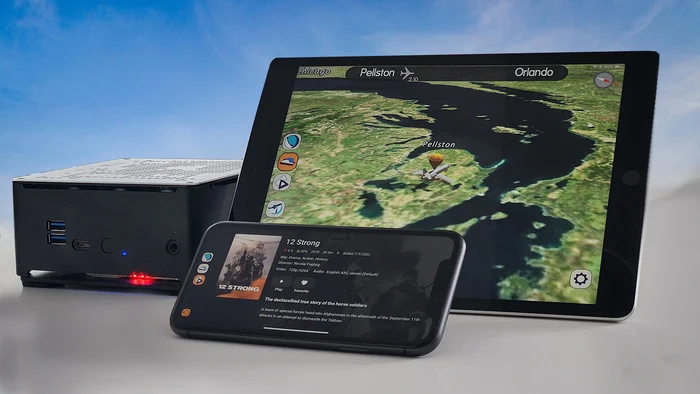
The CSS-100 brings an interactive live 3D moving map and on-demand media to every passenger device — through the browser, with no app to install, no STC and no aircraft downtime. Carry it aboard, power it up, fly.

New in the CSS-100
The latest CSS-100 runs entirely in the web browser your passengers already have. They scan a QR code on the cabin placard and the moving map opens — no App Store, no download, no account, nothing to set up before they board.

Passengers join the cabin network from their phone, tablet or laptop, the same way they would any Wi-Fi.
They point the camera at the QR code on the placard. No app needed to scan it — it's built into every modern phone camera.
The moving map and media library open in the browser, in higher resolution than before, ready to use.
Why it matters
Every app-based cabin system shares one weakness: the passenger has to have installed it before they board. Once the door is closed, someone who didn't is out of luck. Removing the app removes that failure entirely.
A charter passenger or a client flying with you once is never going to install software for a four-hour trip. Now they don't have to — and your cabin doesn't look dated because they didn't.
Many company-managed devices block app installation outright. A web page isn't an install, so it works on locked-down phones that an app never could.
There's no app version to fall out of step with the unit. Whatever the CSS-100 is running is what passengers get, every flight, with no prompt to update mid-boarding.
iPhone, Android, tablet or laptop — anything with a browser. No platform is left out and nobody has to share a screen.
The new interface renders at higher resolution, so the map and media look right on the high-density screens passengers actually carry.
When passengers disconnect, nothing stays on their device. No app sitting in a folder, no account to close — which is the answer principals tend to want.
Why operators choose it
Cabin entertainment upgrades usually mean a shop visit, a certification path, and weeks off the line. The CSS-100 was designed to remove all three.
Nothing is wired, mounted or bonded to the aircraft. The unit is carried on and stowed like any other piece of loose equipment.
Because it is classified as loose equipment, no cabin certification is required for use. There is no STC to buy and no major alteration to sign off. How that works →
The system is ready to use within one minute of initial power up. Your aircraft never leaves the schedule to get it.
The moving map
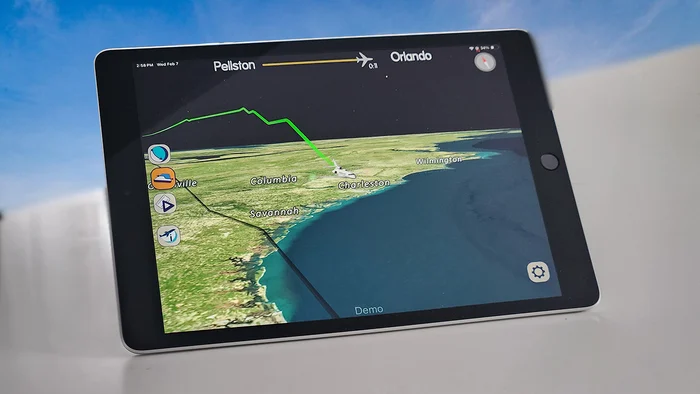
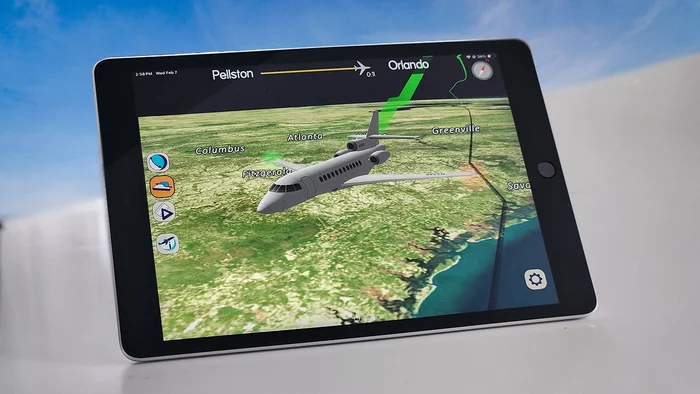
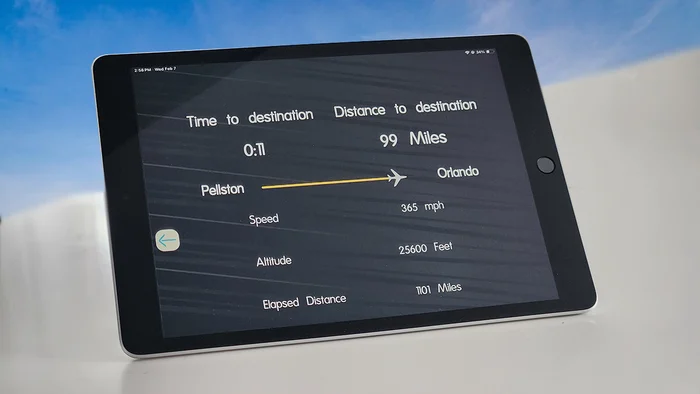
The CSS-100 runs an interactive live 3D moving map with worldwide coverage — passengers can pan, zoom and switch views on their own device rather than watching a fixed bulkhead monitor.
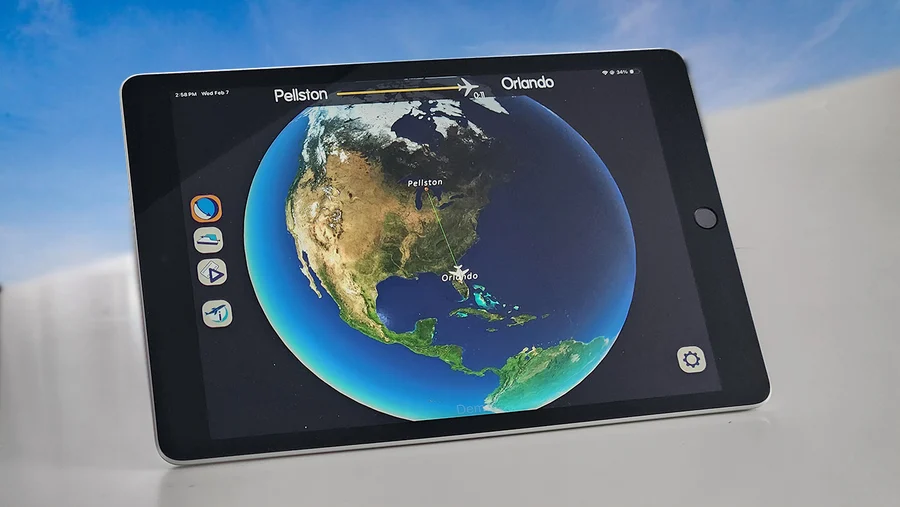
Robin by Altech Aviation
Scanning the code is all most passengers will ever need. But for crew and regular flyers who'd rather have an icon on the home screen, the Robin app does the same job — the moving map, the media library and flight information, on the device they already carry.
Free on both stores, and entirely optional.
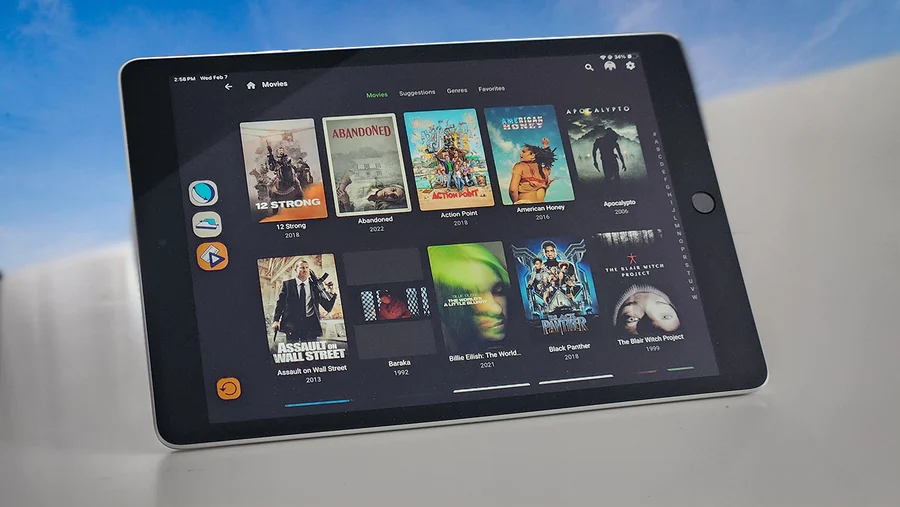
Inside the interface
Every screen below is the live product, running on a passenger device.
Specification
The whole system is a single unit roughly the size of a hardback book. It stows in a seat pocket, a side ledge or a flight bag, and it draws no more attention than the aircraft's own hardware.
It is FCC Part 15B compliant and integrates alongside the cabin systems already fitted to your aircraft, including CES, Venue, nice and Honeywell Ovation.
From the cabin
The system has exceeded our expectations. Altech's after-sales support has been outstanding — their team worked closely with us to customise the solution to our exact specifications.
A game changer in aviation cabin entertainment. It delivers a dynamic airshow display, movies and music direct to your personal device — I can only give it the highest praise.
Tell us your aircraft type and cabin system, and we'll arrange a live demonstration of the CSS-100 and the Robin app.